Get started

Start your integration by taking advantage of the value provided by Mikes Delivery Business APIs. The following instructions will guide you through every step in the process of extending Mikes Delivery Business features and capabilities within your solution.

Step 1: Get Started By Registering Your Self On
Mikes Delivery Business.

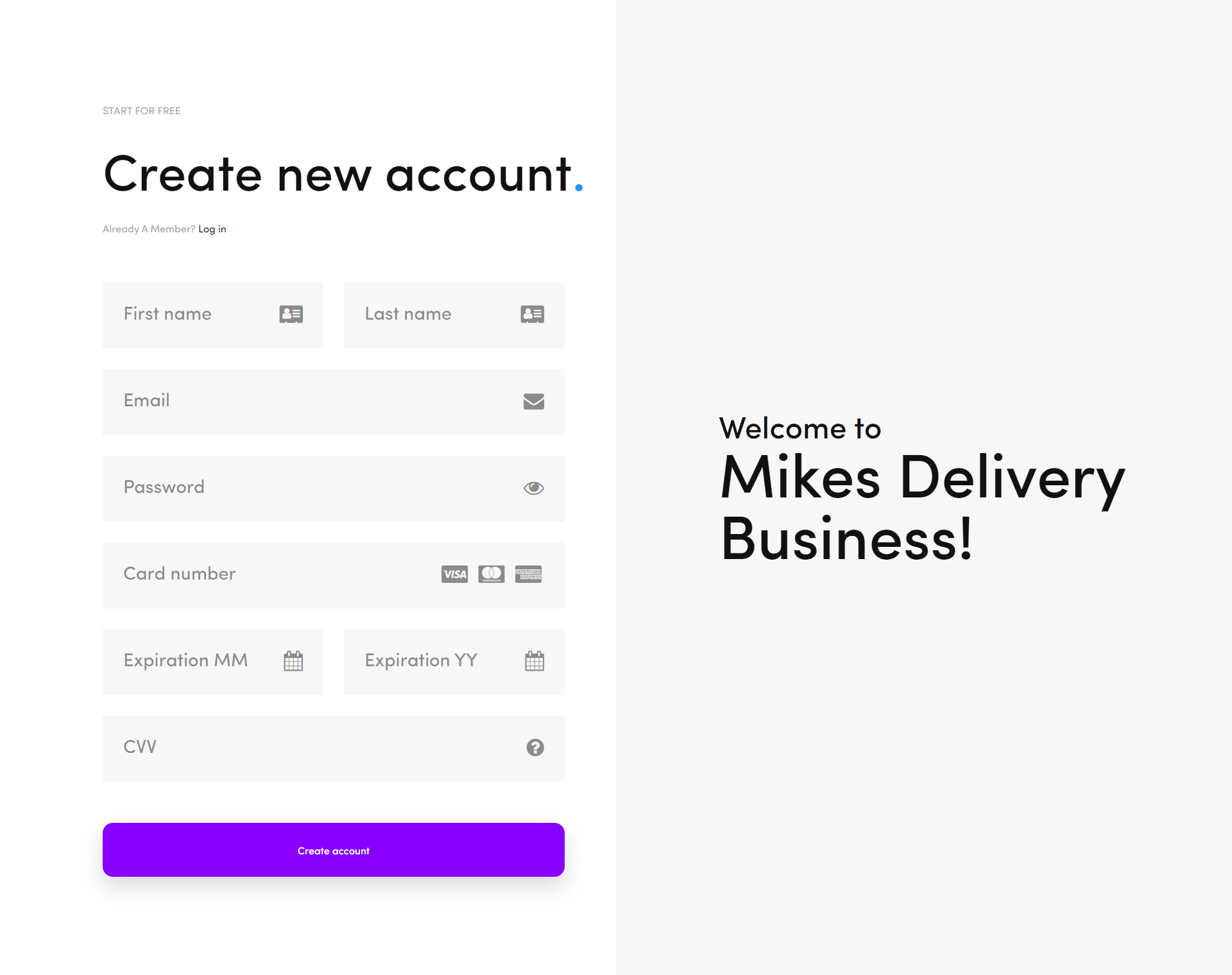
  • Go To The Singup Page & Fill All The Required Fields.
  • Signup Chargers Are Very Economical.

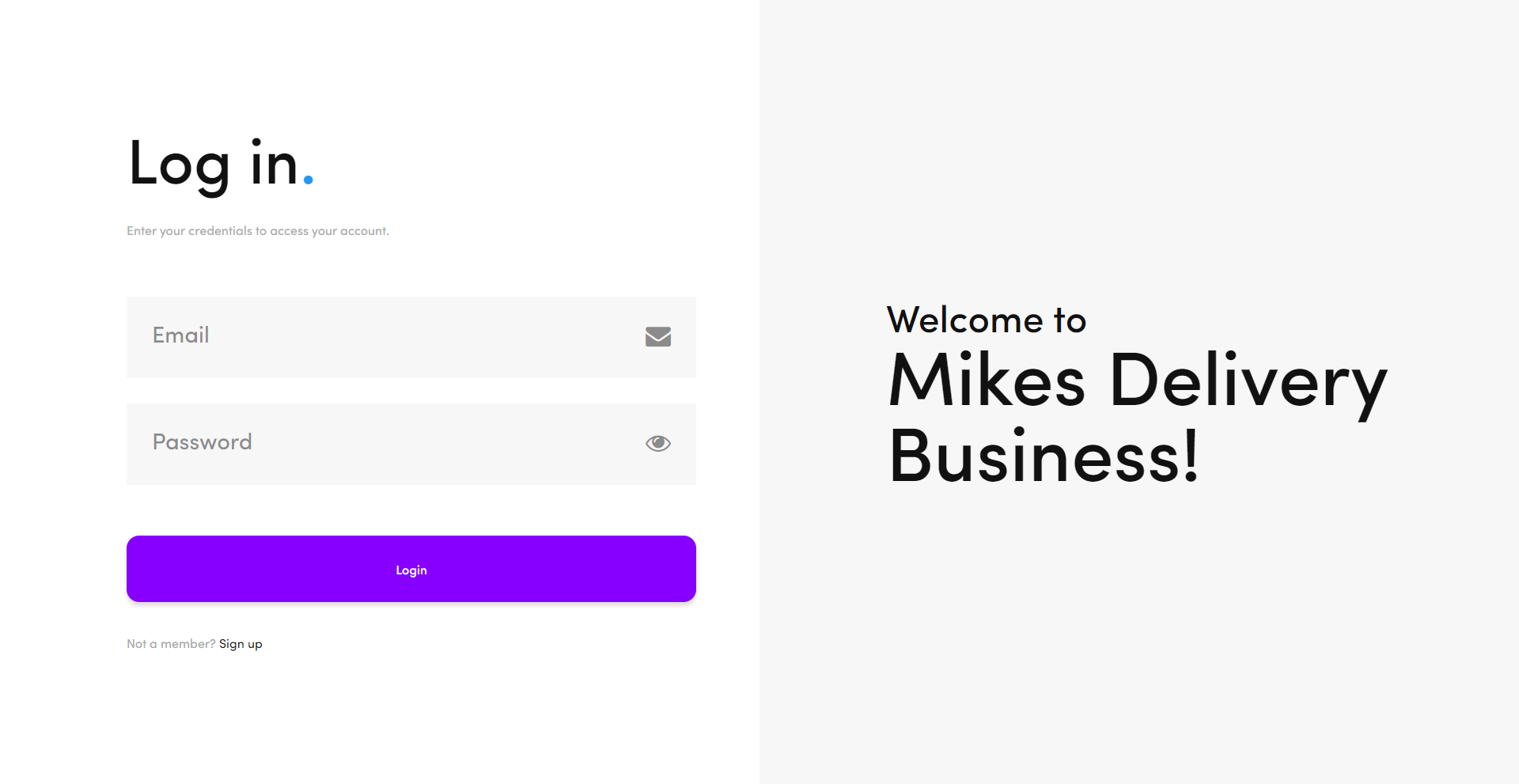
After A Successful Signup, Login To Your Account.
Step 2: Setting Up Your Account.

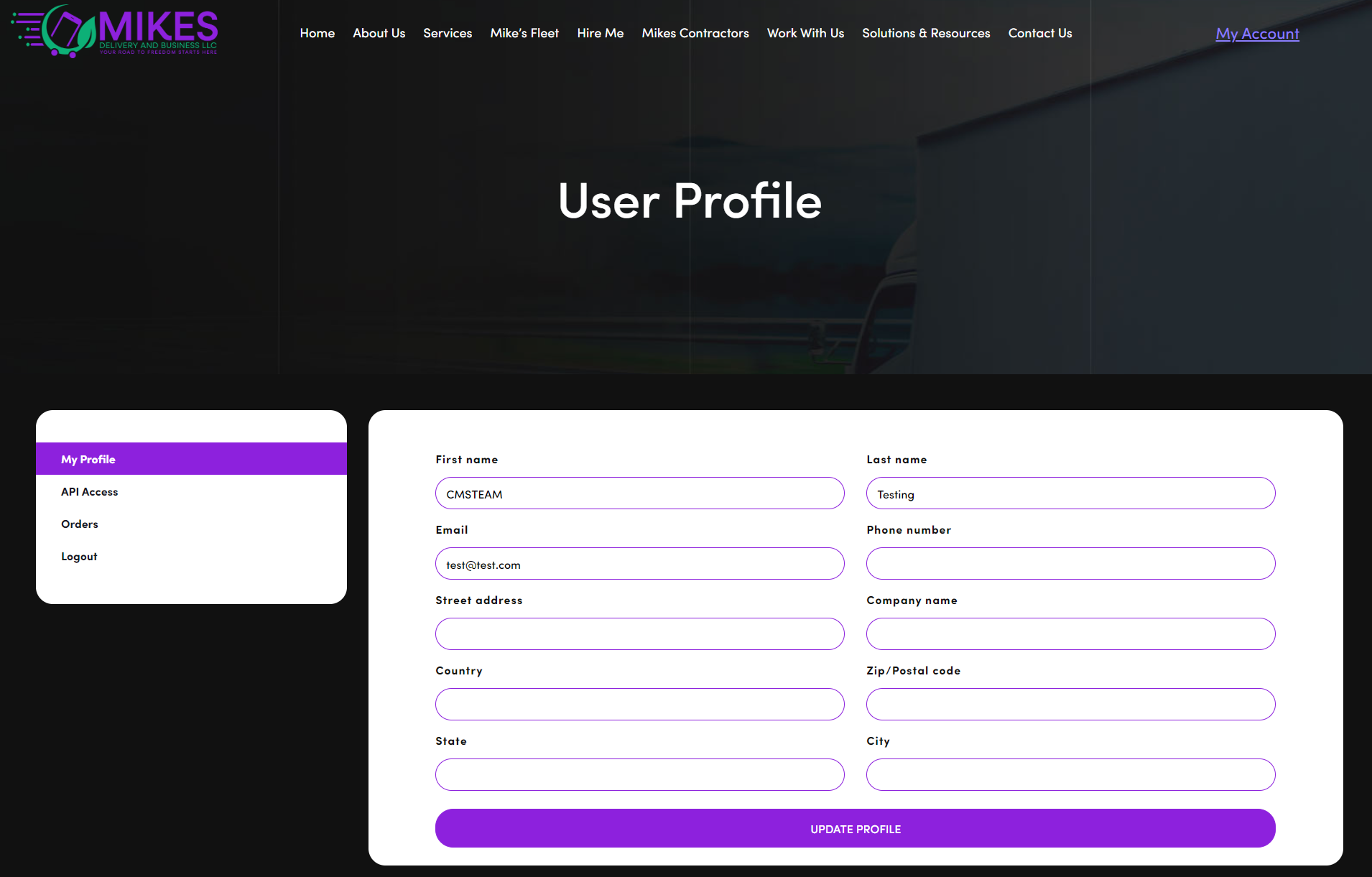
  • Navigate To My Account Page.
  • Fill In All The Required Fields Under My Profile Tab.
Get Live Rates


cURL

curl -X GET \ -H "Content-type: application/json" \ -H "Accept: application/json" \ -d '{"username":"{{Email}}"}' \ -d '{"password":"{{Password}}"}' \ -d '{"zipcode":"{{Zip Code}}"}' \ -d '{"State":"{{State}}"}' \ -d '{"Weight":"{{Weight}}"}' \ "https://mikesdeliverybusiness.com/wp-json/logistics/rates"

PHP

$curl = curl_init(); curl_setopt_array($curl, array( CURLOPT_URL => 'https://mikesdeliverybusiness.com/wp-json/logistics/rates? username={{Email}}&password={{Password}}&zipcode={{Zip Code}}&state={{State}} &weight={{Weight}}', CURLOPT_RETURNTRANSFER => true, CURLOPT_ENCODING => '', CURLOPT_MAXREDIRS => 10, CURLOPT_TIMEOUT => 0, CURLOPT_FOLLOWLOCATION => true, CURLOPT_HTTP_VERSION => CURL_HTTP_VERSION_1_1, CURLOPT_CUSTOMREQUEST => 'GET', CURLOPT_HTTPHEADER => array( )); $response = curl_exec($curl); curl_close($curl); echo $response;

NodeJs

var https = require('follow-redirects').https; var fs = require('fs'); var options = { 'method': 'GET', 'hostname': 'mikesdeliverybusiness.com', 'path': '/wp-json/logistics/rates? username={{Email}}&password={{Password}}&zipcode={{Zip Code}} &state={{State}}&weight={{Weight}}', 'maxRedirects': 20 }; var req = https.request(options, function (res) { var chunks = []; res.on("data", function (chunk) { chunks.push(chunk); }); res.on("end", function (chunk) { var body = Buffer.concat(chunks); console.log(body.toString()); }); res.on("error", function (error) { console.error(error); }); }); req.end();
                     

Response Example

# Here is a Response example [ { "version": "1.0", "rate": [ { "package_name": "Mikes Delivery Business (90017 - 46899)", "rate": "1270.8 USD", "currency_code": "USD", "id": "46899-531" } ] } ]

To get live rates you need to make a GET call to the following url :
https://mikesdeliverybusiness.com/wp-json/logistics/rates


QUERY PARAMETERS

Field Type Description
username String Your Registered Email Address.
password String Your Account Password.
zipcode String Drop off Zip / Post Code.
State String Drop off State.
Weight float Package Weight.

Errors

The Rates API uses the following error codes:

Error Code Meaning
401 trouble connecting due to the provided credentials being incorrect.
402 your account was not set up ( missing required field "my account" tab ).
301 empty or invalid zip/postal code parameter.
302 empty or invalid state parameter.
303 empty or invalid package weight parameter.
305 zip code currently not in our domain.

Request Shipping Service


cURL

curl -X GET \ -H "Content-type: application/json" \ -H "Accept: application/json" \ -d '{"username":"{{Email}}"}' \ -d '{"password":"{{Password}}"}' \ -d '{"to_city":"{{Receiver City}}"}' \ -d '{"to_email":"{{Receiver Email}}"}' \ -d '{"to_firstname":"{{Receiver First Name}}"}' \ -d '{"to_lastname":"{{Receiver Last Name}}"}' \ -d '{"to_phone":"{{Receiver Phone}}"}' \ -d '{"to_streetaddress":"{{Receiver Street Address}}"}' \ -d '{"to_country":"{{Receiver Country}}"}' \ -d '{"to_zipcode":"{{Receiver Zip Code}}"}' \ -d '{"to_state":"{{Receiver State}}"}' \ -d '{"weight":"{{Weight}}"}' \ "https://mikesdeliverybusiness.com/wp-json/logistics/order"

PHP

$curl = curl_init(); curl_setopt_array($curl, array( CURLOPT_URL => 'https://mikesdeliverybusiness.com/wp-json/logistics/order/ ?username={{Email}}&password={{Password}}&to_city={{Receiver City}}&to_email={{Receiver Email}} &to_firstname={{Receiver First Name}}&to_lastname={{Receiver Last Name}}&to_phone={{Receiver Phone}} &to_streetaddress={{Receiver Street Address}}"}&to_country={{Receiver Country}}&to_zipcode={{Receiver Zip Code}} &to_state={{Receiver State}}&weight={{Weight}}', CURLOPT_RETURNTRANSFER => true, CURLOPT_ENCODING => '', CURLOPT_MAXREDIRS => 10, CURLOPT_TIMEOUT => 0, CURLOPT_FOLLOWLOCATION => true, CURLOPT_HTTP_VERSION => CURL_HTTP_VERSION_1_1, CURLOPT_CUSTOMREQUEST => 'GET', CURLOPT_HTTPHEADER => array( )); $response = curl_exec($curl); curl_close($curl); echo $response;

NodeJs

var https = require('follow-redirects').https; var fs = require('fs'); var options = { 'method': 'GET', 'hostname': 'mikesdeliverybusiness.com', 'path': '/wp-json/logistics/order/? username={{Email}}&password={{Password}}&to_city={{Receiver City}}&to_email={{Receiver Email}} &to_firstname={{Receiver First Name}}&to_lastname={{Receiver Last Name}}&to_phone={{Receiver Phone}} &to_streetaddress={{Receiver Street Address}}"}&to_country={{Receiver Country}}&to_zipcode={{Receiver Zip Code}} &to_state={{Receiver State}}&weight={{Weight}}', 'headers': { }, 'maxRedirects': 20 }; var req = https.request(options, function (res) { var chunks = []; res.on("data", function (chunk) { chunks.push(chunk); }); res.on("end", function (chunk) { var body = Buffer.concat(chunks); console.log(body.toString()); }); res.on("error", function (error) { console.error(error); }); }); req.end();
                     

Response Example

# Here is a Response example [ { "version": "1.0", "code": 200, "response": "success", "orderID": "1654711207869704257", "shipping": "1270.8 USD" } ]

To request shipping service you need to make a GET call to the following url :
https://mikesdeliverybusiness.com/wp-json/logistics/order


QUERY PARAMETERS

Field Type Description
username String Your Registered Email Address.
password String Your Account Password.
to_city String Drop off City.
to_email String Receiver Email Address.
to_firstname String Receiver First Name.
to_lastname String Receiver Last Name.
to_phone String Receiver Contact Number.
to_streetaddress String Receiver Street Address.
to_country String Receiver Country.
to_zipcode String Receiver Zip/Postal Code.
to_state String Receiver State.
weight float Package Weight.

Errors

The Order API uses the following error codes:

Error Code Meaning
401 trouble connecting due to the provided credentials being incorrect.
402 your account was not set up ( missing required field "my account" tab ).
201 invalid data type or empty receiver city parameter.
202 invalid data type or empty receiver email parameter.
203 invalid data type or empty receiver first name parameter.
211 invalid data type or empty receiver last name parameter.
212 invalid data type or empty receiver phone number parameter.
206 invalid data type or empty receiver street address parameter.
207 invalid data type or empty receiver country parameter.
208 invalid data type or empty receiver zip code parameter.
209 invalid data type or empty receiver state parameter.
303 empty or invalid package weight parameter.
305 zip code currently not in our domain.